A small Saudi shop can run from one computer with seven kinds of program: cashier, inventory, invoicing, expenses, employee attendance, reception and appointments, and barcode labels. Do not start with all of them: pick the one that fixes your biggest pain today, then add the next after a month. On one PC the data is kept locally and the program works offline, provided you back up daily. Fanann has a ready template for each kind that you change in Arabic and download as a Windows program. For VAT and e-invoicing, verify the requirements with ZATCA or your accountant.
- software for small shops in saudi arabia
- program to manage my shop on a computer
- simple shop accounting software that works offline
- baqala management program
- how do I run my shop on a pc instead of a notebook
- expense and sales program for a small shop
What can one computer run in a small shop?
 Illustration
On any commercial street in Riyadh, Jeddah, Buraidah or Khamis Mushait the scene repeats: a PC on the counter with an Excel sales file, a credit notebook, a WhatsApp group and a calculator. Work gets done, but the owner learns the profit at month's end and the stock only by counting.
That same PC can do far more. Not a corporate system with a server and an IT team, but small programs that each do one job well and keep working when the shop's internet drops.
- The PC
- 64-bit Windows 10 or 11
- Internet
- Not required with local data
- Peripherals
- A printer, plus a barcode scanner by activity
- Language
- Arabic right to left, with English
What are the seven programs, and what does each do?
| Program | The question it answers | Its core |
|---|---|---|
| Cashier | What did I sell today, and does the drawer match? | Fast selling, a receipt with VAT, shift close |
| Inventory | What do I have, and what do I order? | Recorded movements, low-stock alert, counts |
| Invoicing | Who has not paid me yet? | Auto numbering, A4 or PDF, collection follow-up |
| Expenses | Where did the money go this month? | Categories, receipt photo, monthly report |
| Attendance | Who came in, and for how many hours? | Code and PIN, a report for payroll |
| Reception and appointments | Who is next, and when is the nearest free slot? | A day board, no double bookings |
| Barcode labels | How do I price and code my goods? | Import from a file, templates, batch printing |
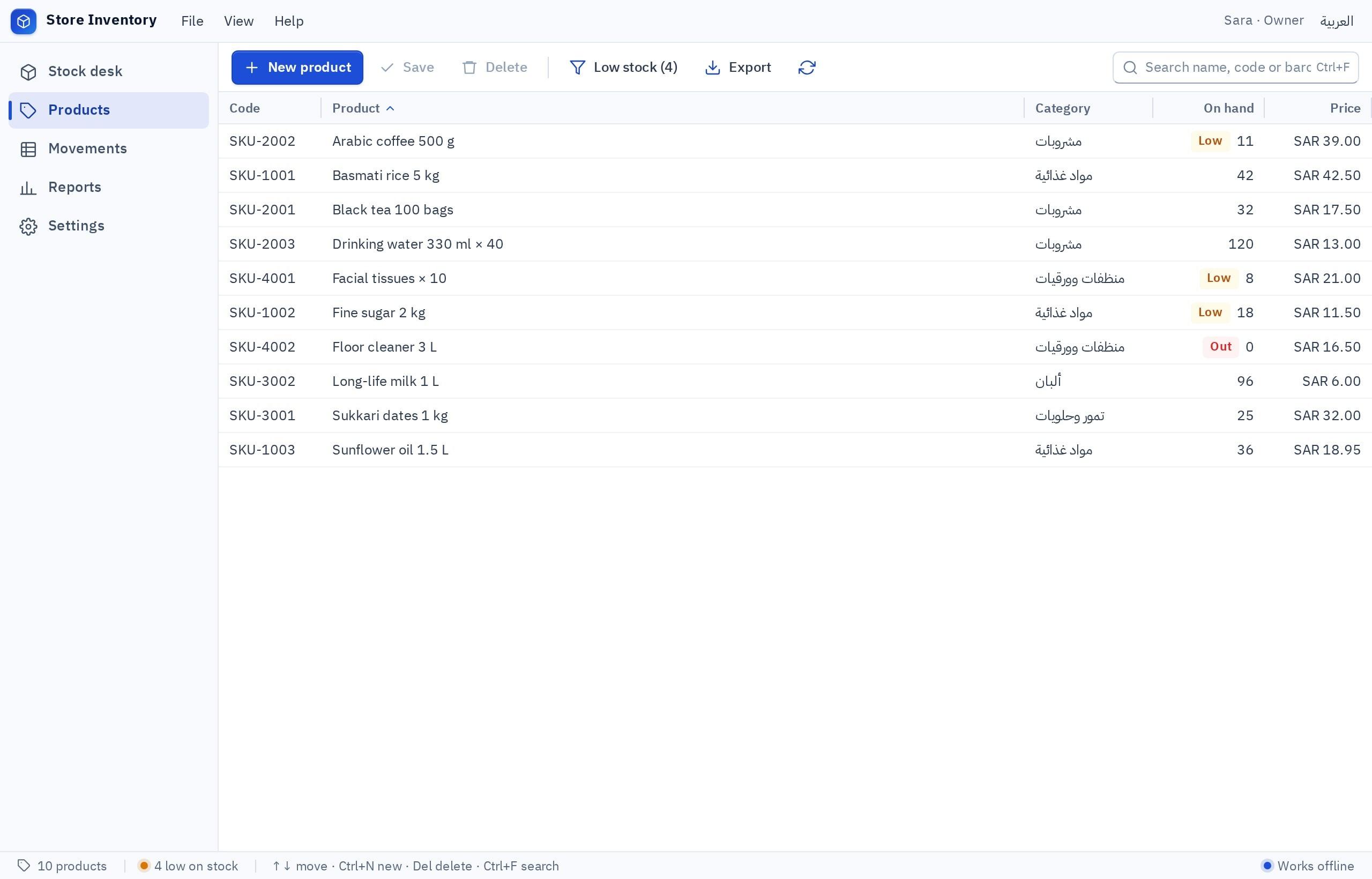
Each has a detailed guide: cashier, inventory, invoicing, attendance, reception and barcode labels.
Which programs does my kind of shop need?
Nobody needs all seven. Here is what fits the most common shops in our markets:
| Shop | Essential | Added later |
|---|---|---|
| Baqala or grocery | Cashier with barcode, inventory | Expenses, credit ledger |
| Café or buffet | Cashier, expenses | Attendance for shifts, stock for supplies |
| Abaya shop or tailor | Cashier with tailoring orders, stock by size | Labels, expenses |
| Perfume and incense | Cashier with several units, inventory | Price labels |
| Phones and accessories | Cashier, stock by serial number | Repair jobs, labels |
| Car workshop or car wash | Labor and parts invoices, job tracking | Parts stock, attendance |
| Salon or barbershop | Reception and appointments, cashier | Attendance, expenses |
| Laundry | Drop-off and pickup with a ticket per order | Labels, expenses |
| Stationery and bookshop | Cashier with barcode, inventory | Labels before back to school |
| Service office or small contractor | Invoices and quotes | Expenses, attendance |
Which program should I start with?
Start from the pain, not the list. A program that fixes a daily problem gets used.
Pick the one that sounds like you to see the advice.
Start with the cashier. One month of recording gives your first true picture of sales by hour, item and payment method.
Start with inventory, and its first step is a careful physical count. Without a correct opening balance no program helps.
Start with invoicing and its unpaid screen. Simply seeing the list sorted oldest first changes how you collect.
Start with expenses, the simplest of the seven: rent, electricity, salaries and purchases in one place.
Is one computer really enough, and what does it cost me?
Yes, for most single-counter shops. With data on the PC itself the program runs with no internet, no sign-in and no data hosting fee.
- Works with the internet down
- Your data stays in your shop
- No fee per user or per PC
- Simplicity: no pile of accounts and passwords
- A dead PC with no backup means lost records
- No view of the numbers from home or your phone
- A second PC means separate records, not shared ones
- You save the backup and take it out of the shop
You outgrow one PC when you open a second branch, want two tills on the same orders, or want to follow the shop from your office. Then you choose shared cloud data, which needs internet. See software that works offline.
What about VAT, e-invoicing and customer data?
Three regulatory matters touch shop software, stated generally here:
- 15% VAT: if your business is registered, VAT must appear on your invoices. The program calculates it at the rate you set and shows it with your VAT number.
- E-invoicing (Fatoora): its requirements are set by ZATCA and applied in phases and waves. A built program is not a certified solution for it and does not connect to ZATCA's platform.
- Customer and staff data: mobile numbers and attendance records are personal data protected by the Personal Data Protection Law. Collect only what you need and decide who sees it.
More detail: ZATCA e-invoicing phases and a cashier program for a shop in Saudi Arabia.
Separate subscriptions, one big system, or programs I build?
| Route | Suits | Its real price |
|---|---|---|
| A subscription per need | Those wanting a ready answer today with support | Fees that pile up, and data spread across vendors |
| One large integrated system | A multi-branch business with someone dedicated to it | Cost, complexity and training, with many unused features |
| A developer or software company | A very specific workflow and a project budget | A long wait, and dependence on one person for every change |
| Programs you build by describing | A small shop whose owner knows the workflow clearly | Your time describing and testing, plus owning tests and backups |
The fourth route is new: describe a program in your own words and watch it run. The full comparison is in ways to make a Windows program.
How do I set these programs up with Fanann?
The Windows app templates hold eight templates, seven of which match this guide: POS, inventory, invoice maker, expense tracker, front desk, attendance and labels. Open one, try it in your browser inside a Windows-style window, and say what to change by typing or by voice. Then download a real installer for the shop PC.
I want a program for a baqala in a residential neighborhood, in Arabic (right to left) with English, working offline on one PC. Part one, expenses: I record each expense with its category (rent, electricity, salaries, supplier purchases, maintenance, other), amount, date and payment method, and attach a photo of the receipt. Part two, a credit ledger: a list of neighborhood customers with name and mobile, where I record each customer's credit purchases and payments, see their current balance, and set a debt limit that warns me when exceeded. A home screen showing: this month's expenses by category, total outstanding debts, and the five customers who owe most. A monthly expense report and a statement per customer, printable on A4. Export to a file for my accountant. Backup to a file and restore. A password to open the program.
Try it in FanannCandidly: printing goes through Windows printers, and scanners must type like a keyboard, so test your devices first.
What is a ninety-day plan for a shop starting from a notebook?
- Week 1Write down your day
What happens from opening to closing? Where are numbers written now? That sheet is your program's specification.
- Week 2The first program
Pick what fixes the biggest pain, build it from the template, and try it on the shop PC with the printer.
- Month 1Run both, then go live
Two weeks next to the notebook, then the program alone. A backup every night from day one.
- Month 2The second program
Usually inventory after the cashier, or expenses after invoicing. Same steps.
- Month 3A first decision from numbers
Open three months of reports: which item earns? Which expense ballooned? The real return starts here.
More guides for the Saudi market are on the Saudi Arabia page, with a wider roadmap in digital transformation for Saudi companies.
Key takeaways
- Start with one program that fixes your biggest problem, and master it before adding a second.
- One PC with local data works offline. The price is that backups are yours alone.
- Most small shops are covered by three programs: cashier, inventory and expenses.
- A built program shows VAT on the invoice. Verifying ZATCA's requirements stays with you.
- When you need to see the numbers from another PC or branch, you move from local data to cloud data.
Frequently asked questions
Which programs does a small shop in Saudi Arabia need?
Can I run all the programs on one computer?
Can I get shop software without a monthly subscription?
Are these programs compatible with e-invoicing?
Can I follow my shop from my phone?
What if the shop grows and I open a second branch?
Ask your AI assistant about this
Copy this prompt into the AI assistant you use, then add the details of your own case.
I am reading this guide: “Programs every small Saudi shop can run on one computer” https://fanann.com/en/blog/business-software-saudi-small-shops/ My question: software for small shops in saudi arabia Use that page as a source and explain the answer step by step for my situation, tell me what to check before I start, and cite the page link.